Follow places and see them together
On this page
Following a place adds it to My places, a page that shows the weather in every place you follow, side by side. It is handy for the places you check often besides your own: where family lives, where you travel, where you are going this weekend.
#Follow a place
-
Open a place's page and select Follow, beside Set as home. You can also select the star beside a place in a search's list of places.
-
If Saved preferences is off, a box titled Enable cookies to follow and the place's name explains that what you follow is kept in this browser. Select Enable cookies to continue, or Not now to stop.
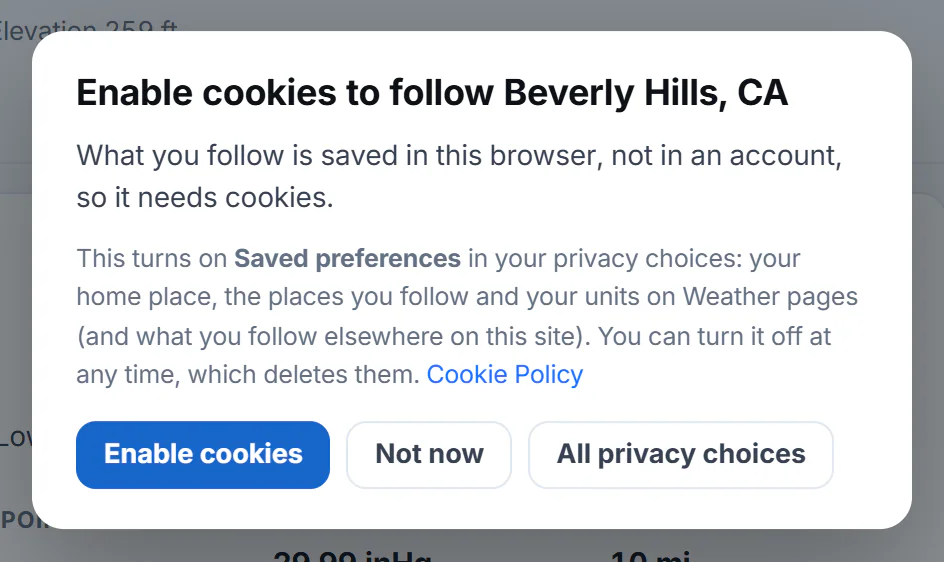
The box that appears the first time you follow a place with Saved preferences off.
- 1What turning it on does
- 2Turn on Saved preferences
- 3Leave it off
- 4Open all your privacy choices
-
A message says you are following the place, and the button reads Following. Select it again to stop.
#My places
Select My places in the row of Weather pages. Once you follow places, a number beside it shows how many.
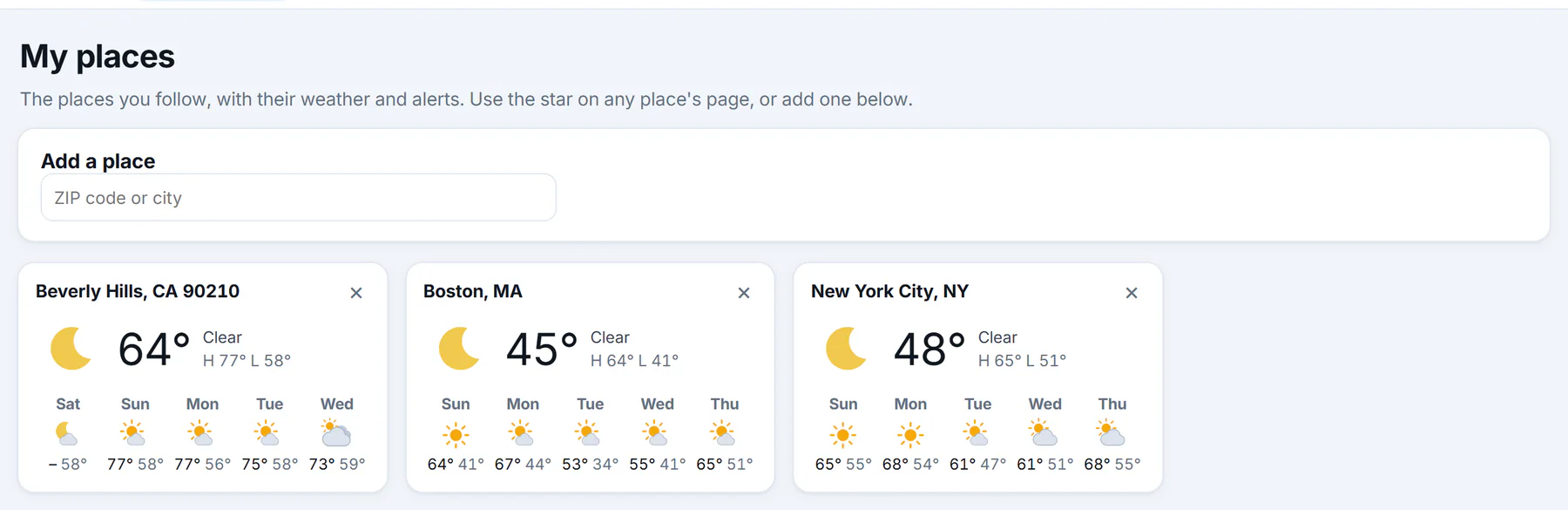
My places with three places followed. Each card links to the place's forecast.
- 1Add a place by ZIP code or name
- 2One followed place
- 3Stop following
- 4The next five days
- Add a place finds a place by ZIP code or name. Select the star on a suggestion to follow it.
- Each card shows the place, the conditions now, today's high (H) and low (L), any alert in effect and the next five days. Select the place or its conditions to open its forecast.
- × at the top right of a card stops following it.
- Your home place, if you follow it too, is tagged Home.
The Weather overview also shows a My places box with the first few, and an All link.
You can follow up to 30 places. At the limit, Weather asks you to stop following one first.
#Common questions
Is following a place the same as setting it as home?
No. Your home place is the one Weather opens on. Followed places are shown together on My places. A place can be both.
Why does My places say it needs cookies?
Following is kept in your browser, which needs the optional Saved preferences choice. The page offers a button to turn it on.
Why does a card say the forecast is loading?
Its forecast is being fetched. Check back in a minute.
Do the cards show alerts?
Yes. A card names the alerts in effect for the place, with a link to them.